
Keep track of every deal and its next step
Bring customer information, sales activity, and follow-ups together with Dynamics 365 Sales.
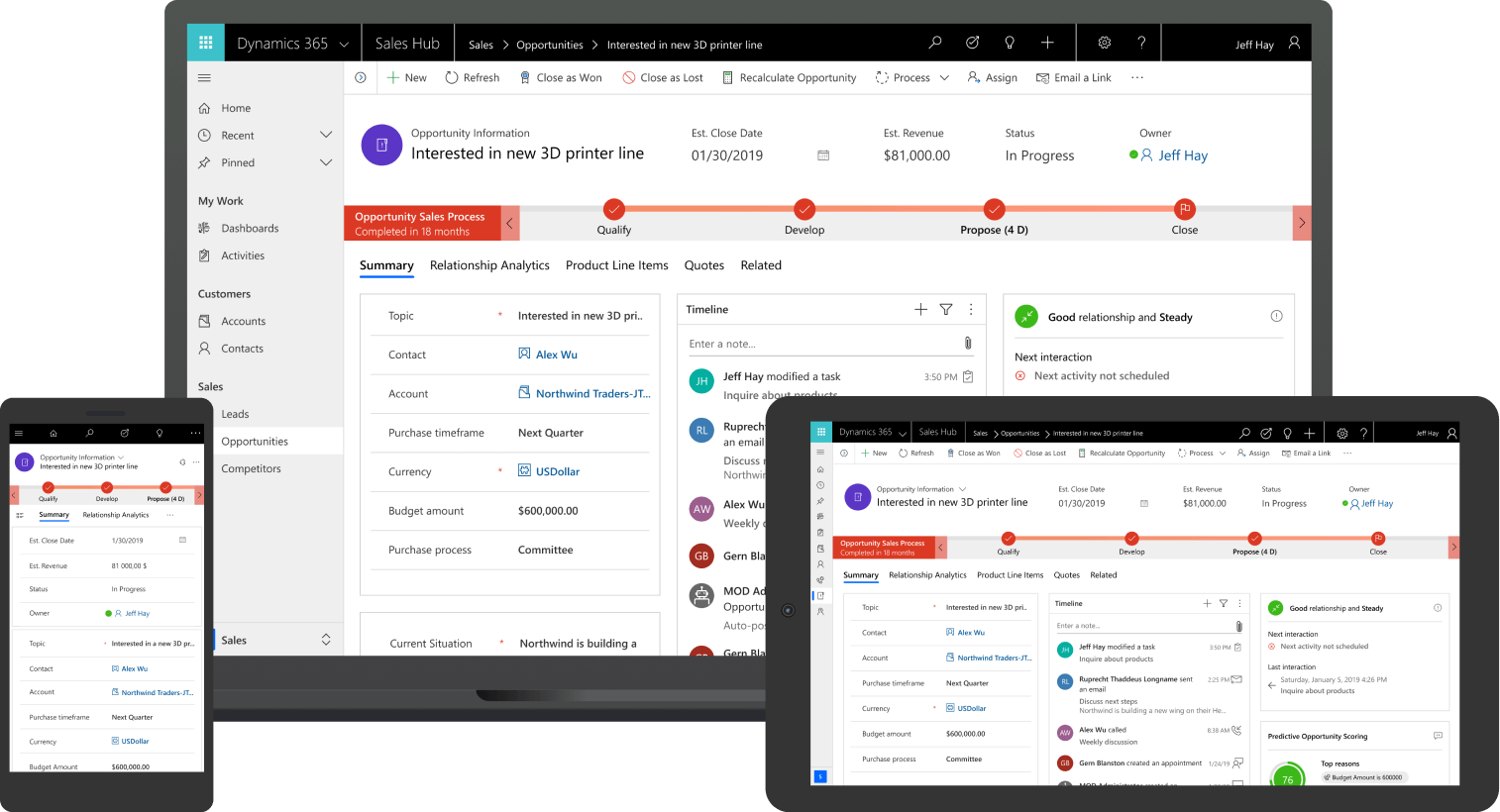
Make it easier to follow up and see where sales stand
When several people work with customers, it can be hard to know what was agreed, who should follow up, and which deals need attention.
Dynamics 365 Sales keeps customer details, activities, and opportunities together. Your team can see the history and next steps, while managers can review progress without asking everyone for an update.
We configure the CRM around your sales process, help move existing data, and train your team using their own deals. Customer information stays available to the company as responsibilities change.
Tools for your sales team
Dynamics 365 Sales
Track customers, contacts, opportunities, and tasks in one system. We set up the stages and information your team needs so people can follow a shared process and managers can see where work is progressing or getting held up.
Connected to Microsoft 365
Work with Outlook and Teams alongside the CRM. Link relevant emails and meetings to customer records so colleagues can find the history without searching separate inboxes. We configure the connections and show the team how to use them.
Copilot for sales tasks
Copilot can help summarize customer information, prepare for a meeting, or draft a follow-up. We identify the features that fit your work and confirm the licenses and setup they require.
How CRM helps the team
Working with customers
Give each opportunity an owner and a clear next step.
Keep notes, relevant emails, and agreements with the customer record.
Use tasks and reminders to follow up at the right time.
Access customer information and update activities on the move.
Managing sales
See open opportunities and their current stage in one view.
Identify deals that have not progressed or need support.
Review results against sales targets.
Build forecasts from the information your team records.
Frequently asked questions
It can be, especially when several people work with customers or a sale takes multiple conversations. A CRM helps keep the history together and makes follow-up less dependent on one person’s memory.
A simpler product may be enough for a basic customer list and pipeline. Dynamics 365 Sales is worth considering when you need to adapt the process, connect sales with other systems, or work closely with Microsoft tools. We help assess the fit before recommending it.
Yes. We review the data, agree what should be moved, and map it to the new system. The information and history that can be transferred depend on what the source system provides.
Yes. Your team can link relevant emails and meetings to CRM records from Outlook. We agree how information should be tracked and configure the connection.
Yes. We configure mobile access for the information and tasks your team needs away from the office.
We adapt the stages, fields, and tasks to your process. Where useful, we can add automation or connect the CRM to the systems used after a sale.
We keep the setup focused on the information people need, explain how it helps their work, and train them on real opportunities. We also agree how feedback and adjustments will be handled after launch.
We configure access according to your team’s roles. Where needed, we enable change tracking so you can review who updated information and when.
Let's look at how your sales team works
Tell us how you manage opportunities today and where follow-up becomes difficult. We'll help you assess whether Dynamics 365 Sales fits your team and what an implementation would involve.